

What you’ll do
- Add BOT Chain testnet by hand (Chainlist doesn’t list it correctly).
- Add BOT Chain mainnet through Chainlist or by hand.
Prerequisites
- MetaMask installed in your browser.
Network values
- Testnet
- Mainnet
BOT. You can use either tBOT or BOT as the symbol in your wallet; tBOT makes it easier to tell the networks apart.
Add testnet by hand
1
Open the network settings
In MetaMask, open the network menu at the top left and choose Add a custom network.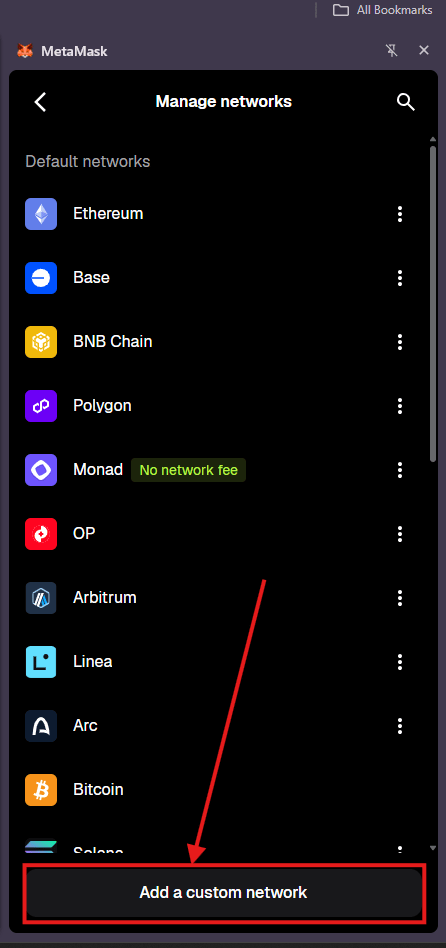
2
Enter the testnet values
Fill in each field from the Testnet tab above, then click Save.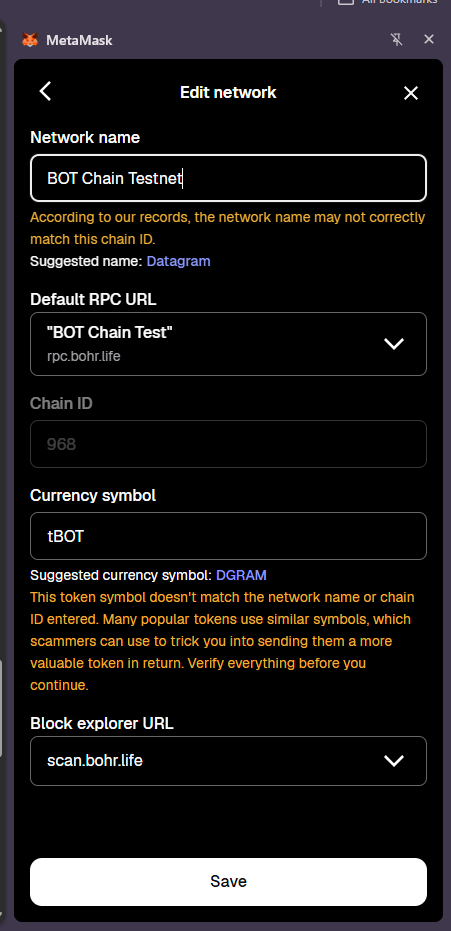
3
Switch to the network
Choose BOT Chain Testnet from the network menu. Your balance shows in tBOT.
Add mainnet
- With Chainlist
- By hand
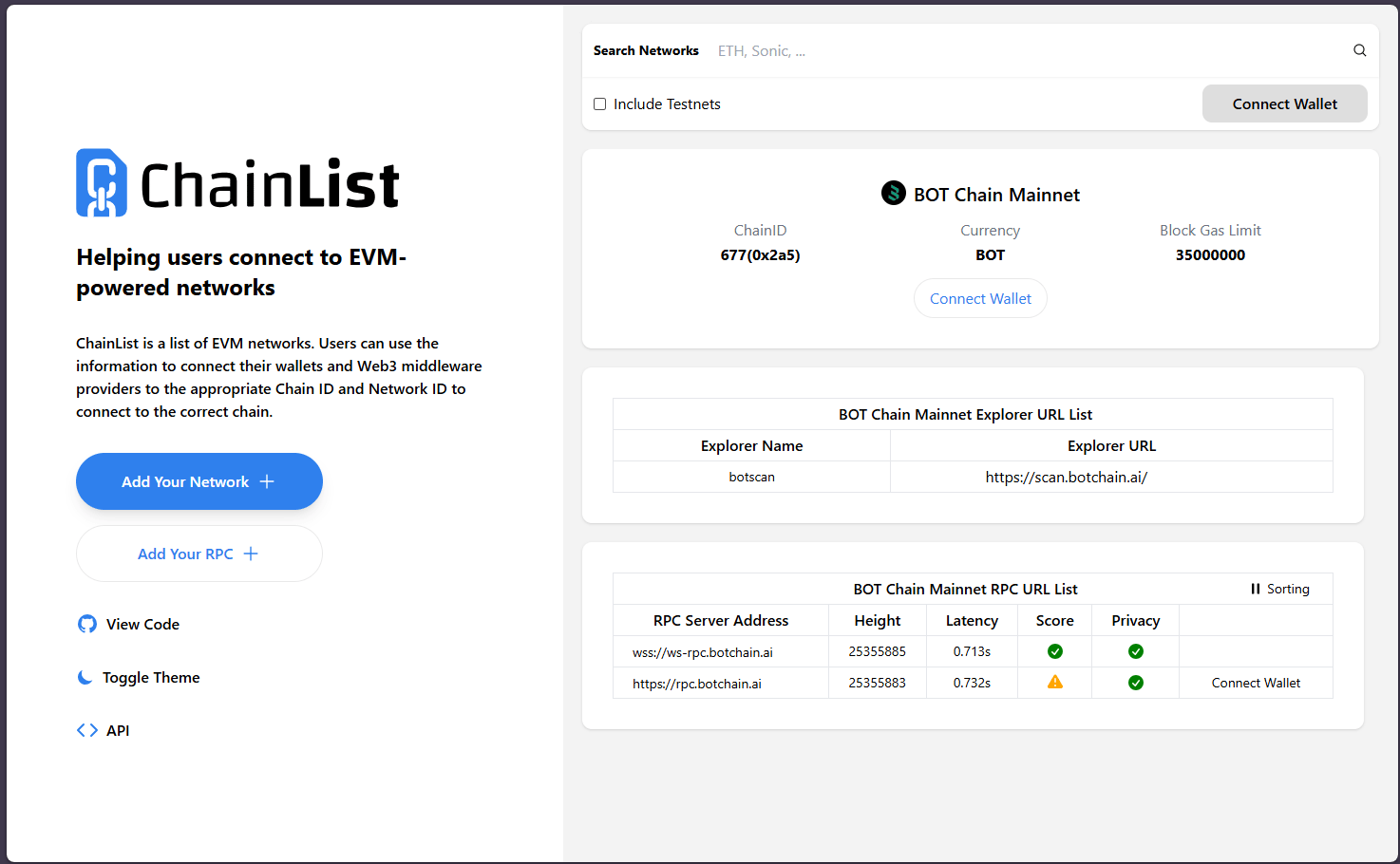
- Open BOT Chain Mainnet on Chainlist.
- Check that the chain ID is 677 and the explorer is
scan.botchain.ai. - Click Connect Wallet and approve the connection in MetaMask. The button then changes to Add to MetaMask. Click it and approve the request.
Verify it worked
- Switch to BOT Chain Testnet in MetaMask.
- Copy your address and open
https://scan.bohr.life/address/YOUR_ADDRESSin your browser. - The balance on BOTScan matches the balance in MetaMask.
Troubleshooting
MetaMask says the chain ID returned by the RPC doesn't match
MetaMask says the chain ID returned by the RPC doesn't match
The chain ID field must match the RPC URL. Use 968 with
https://rpc.bohr.life and 677 with https://rpc.botchain.ai. Check for a trailing space or a typo in the URL.MetaMask warns that the network details don't match
MetaMask warns that the network details don't match
For chain 968 this is expected, because the public registry lists a different network under that ID. Continue only if the RPC URL is exactly
https://rpc.bohr.life.My balance shows 0 after using the faucet
My balance shows 0 after using the faucet
Check that MetaMask is on BOT Chain Testnet, not mainnet or another network. Then check the address on BOTScan testnet. If BOTScan also shows 0, the claim didn’t go through; see Get testnet tokens.
Next steps
Get testnet tokens
Fund your wallet for free.
Connect a wallet in your dApp
Let users connect their wallet to your app.