

What you’ll do
Send up to 10 tBOT to your wallet address, then check that it arrived.Prerequisites
- A wallet address. Create one with
cast wallet new(see the quickstart) or use MetaMask (see Connect a wallet).
Steps
1
Open the faucet
Go to the BOT Chain faucet. Under Claim asset, choose Test BOT. The network should read BOT Chain Testnet.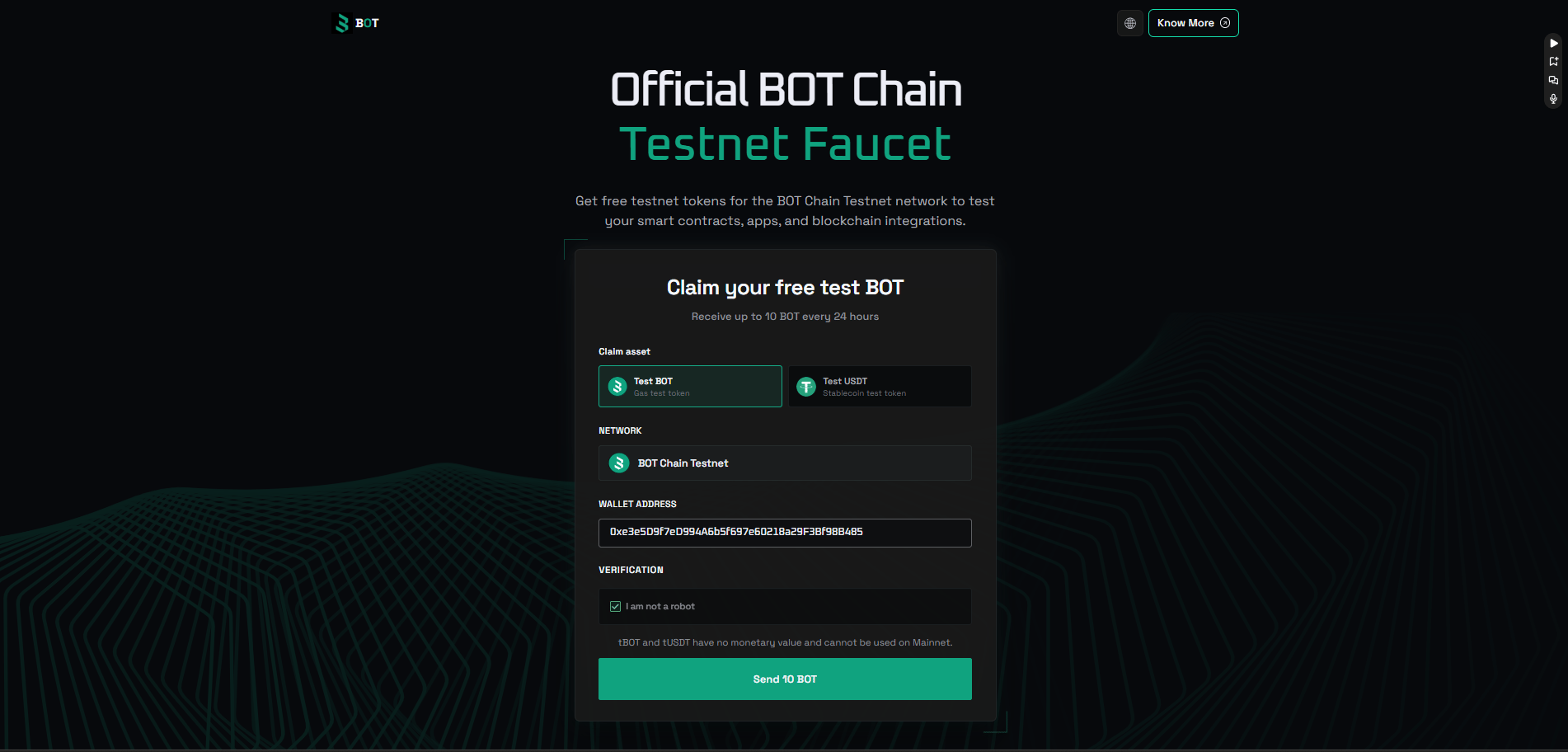
2
Enter your address
Paste your wallet address (it starts with
0x). Double-check it; tokens sent to the wrong address can’t be returned.3
Complete the check and claim
Complete the “I am not a robot” check, then click Send 10 BOT. The faucet shows a transaction hash when it’s done.
Verify it worked
Click the transaction hash the faucet returns to open it on BOTScan testnet. Or check your balance from a terminal:10.000000000000000000.
Limits
Each address can claim up to 10 tBOT every 24 hours (checked 2026-10-01 on the faucet and in BOT Chain’s faucet guide). That’s plenty for development. Deploying and calling a small contract costs a tiny fraction of one tBOT. See Gas and fees for how to check costs yourself.Test USDT
The same faucet also gives out test USDT. Under Claim asset, choose Test USDT and claim it the same way. It’s the testnet USDT that the BDEX pools trade, so you can use it with the swap guides and the DEX integration template. Its address is in Contract addresses.Uzo Labs faucet
If the BOT Chain faucet isn’t working for you, claim from the Uzo Labs faucet instead. Paste your address and click Claim 0.1 tBOT.- Each wallet can claim 0.1 tBOT every 24 hours. That’s enough for the quickstart, which used about 0.004 tBOT when we tested it.
- Wallets that already hold enough tBOT are skipped.
Give back unused tBOT
When you’re done testing, please send your unused tBOT back to the Uzo Labs faucet so other developers can claim it. Every top-up keeps the faucet running.Faucet address (testnet only)
uzo-dev wallet:
When you need more
- Wait for the next claim. You can claim again after 24 hours.
- Use one funded wallet for deploys. Keep one deployer wallet and claim for it each day, rather than spreading tokens across many test addresses.
- Test locally first. Run your tests on a local chain with
forge testoranvil, which cost nothing. Only deploy to testnet when the code works. - Teams and hackathons. Ask a teammate to claim for their own address and send you some. If you’re running an event, see the faucet plan.
Troubleshooting
The faucet won't let me claim again
The faucet won't let me claim again
You’ve probably hit the 24-hour limit for that address. Wait 24 hours, or use one of the options in When you need more.
The claim succeeded but my wallet shows 0
The claim succeeded but my wallet shows 0
Check that your wallet is on BOT Chain Testnet (chain 968), not mainnet. Look up your address on BOTScan testnet to confirm the balance.
The verification check won't load
The verification check won't load
Disable ad or script blockers for the faucet page and reload.
Next steps
Quickstart
Deploy your first contract.
Gas and fees
How much your transactions cost.